Step 10 of 13 in Enrich your products with Atlas
Publishing enriched data back
Review the richer AI copy Vestis Atlas wrote for your styles in Atlas Enrichments, then publish or discard it in Vestis Platform.
Under review. This page is published while we check it against the live app, so some details may have changed.
Screenshots may be out of date.
Collection & StylesAtlas Enrichments
Permission: GEO_READINESS
Note
Atlas Enrichments only appears in the sidebar once your brand has Vestis Atlas switched on and connected.
Open Collection & Styles
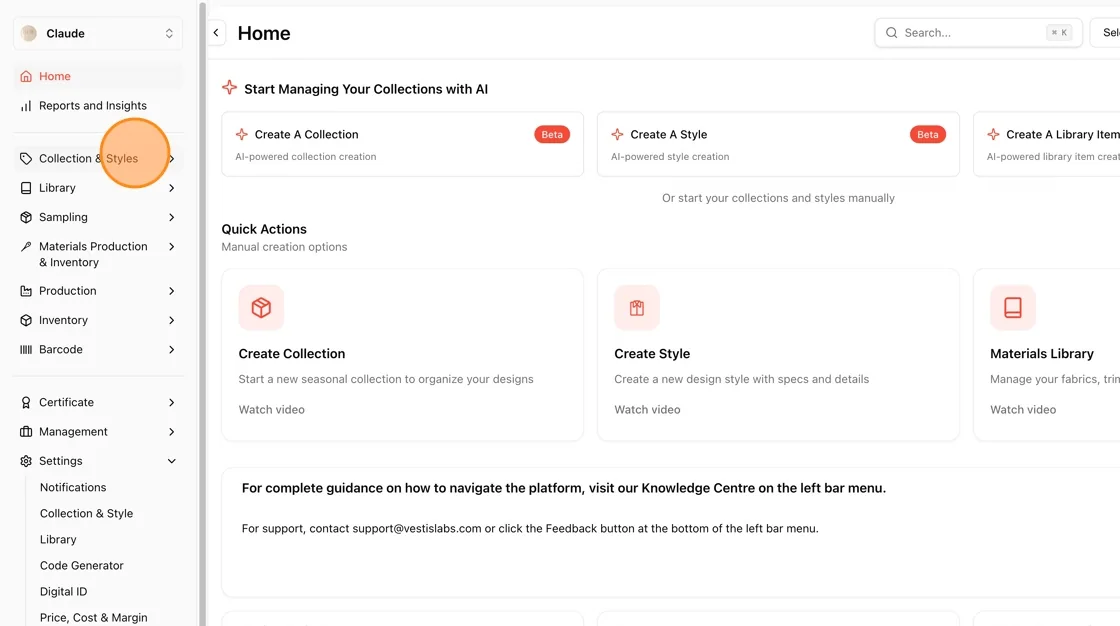
- Back in Vestis Platform, from the Home screen, click Collection & Styles in the left sidebar.
**Open Atlas Enrichments
**
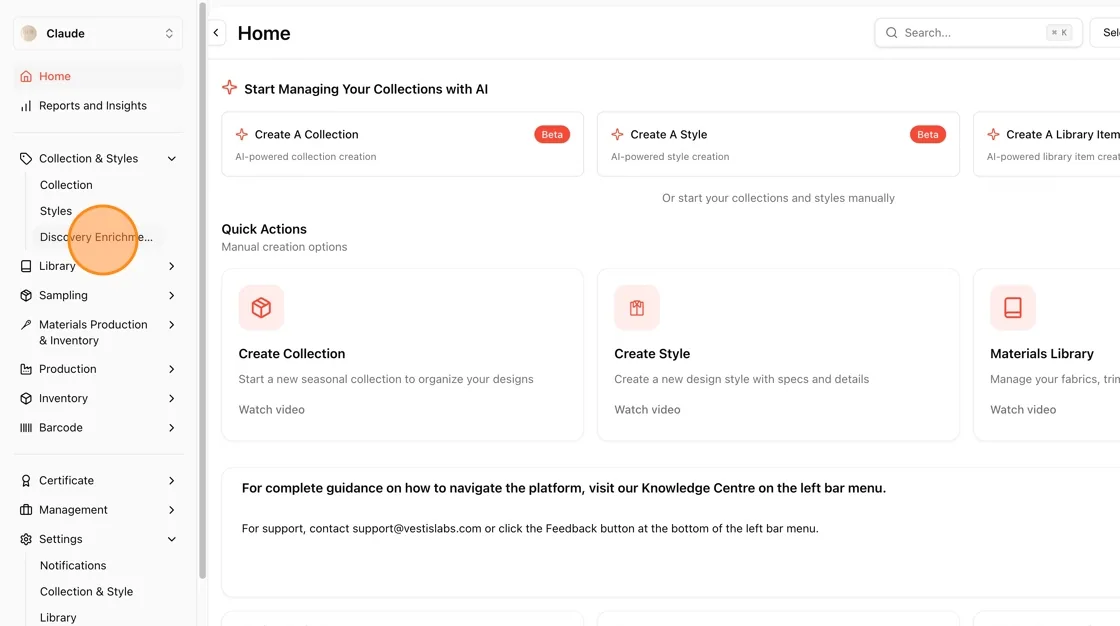
- The Collection & Styles menu expands to show Collection, Styles, and Atlas Enrichments.
- Click Atlas Enrichments to see the AI-enriched drafts waiting for your review.
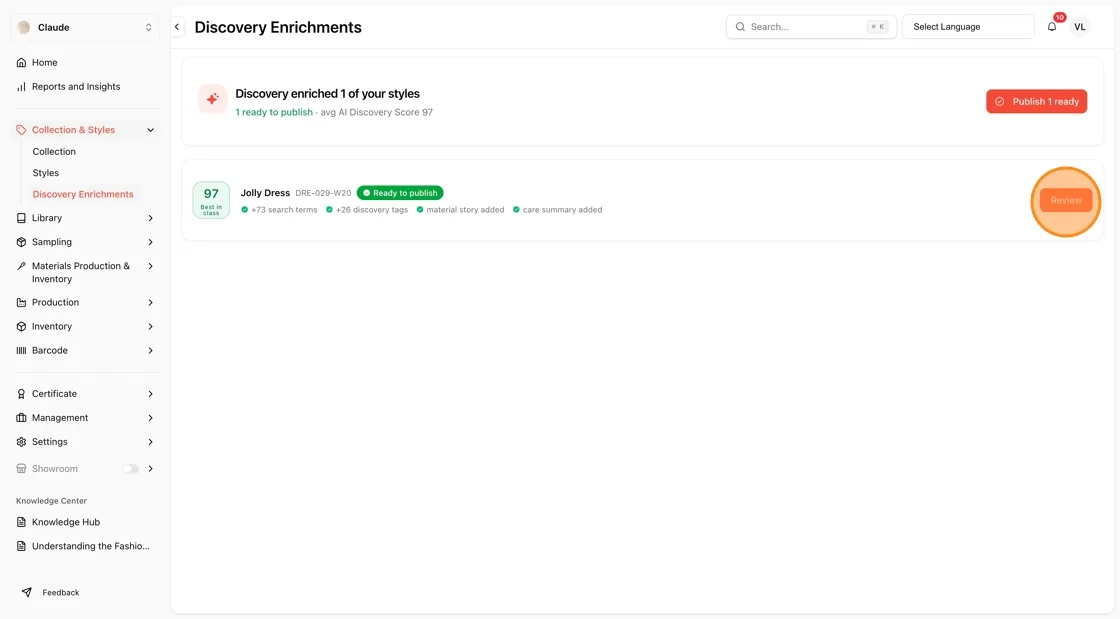
**Review Enriched Styles Ready to Publish
**
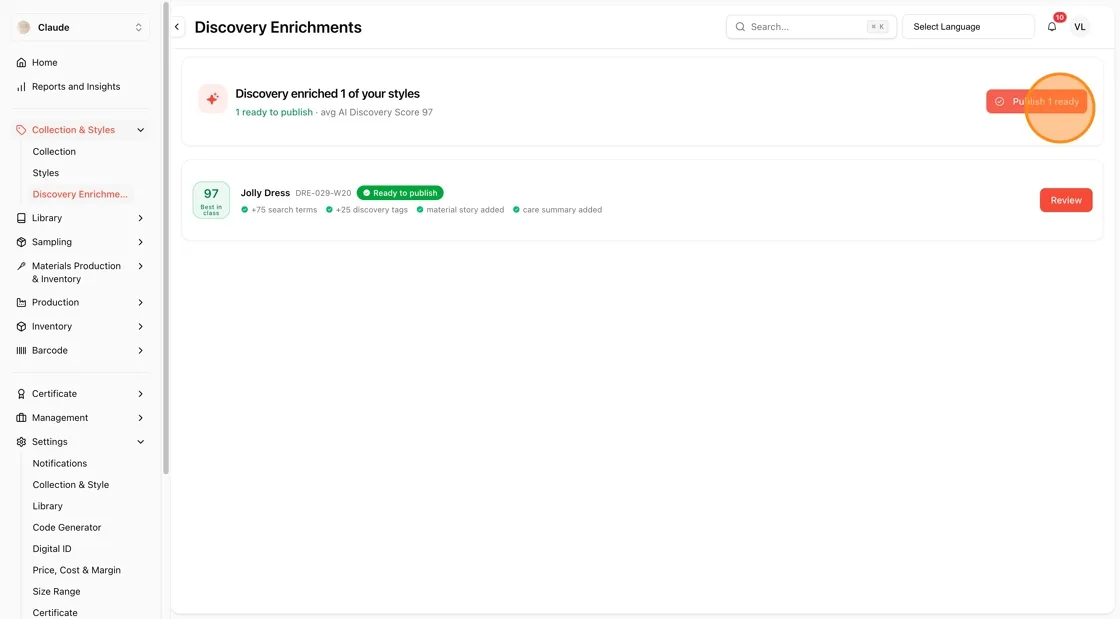
- The Atlas Enrichments page summarizes what's ready, for example how many styles are ready to publish and how many need claims verified.
- Click Publish 1 ready to publish all fully-verified enrichments at once, or click Review next to an individual style to check it first. Styles that still need claims verified are not included in the bulk publish.
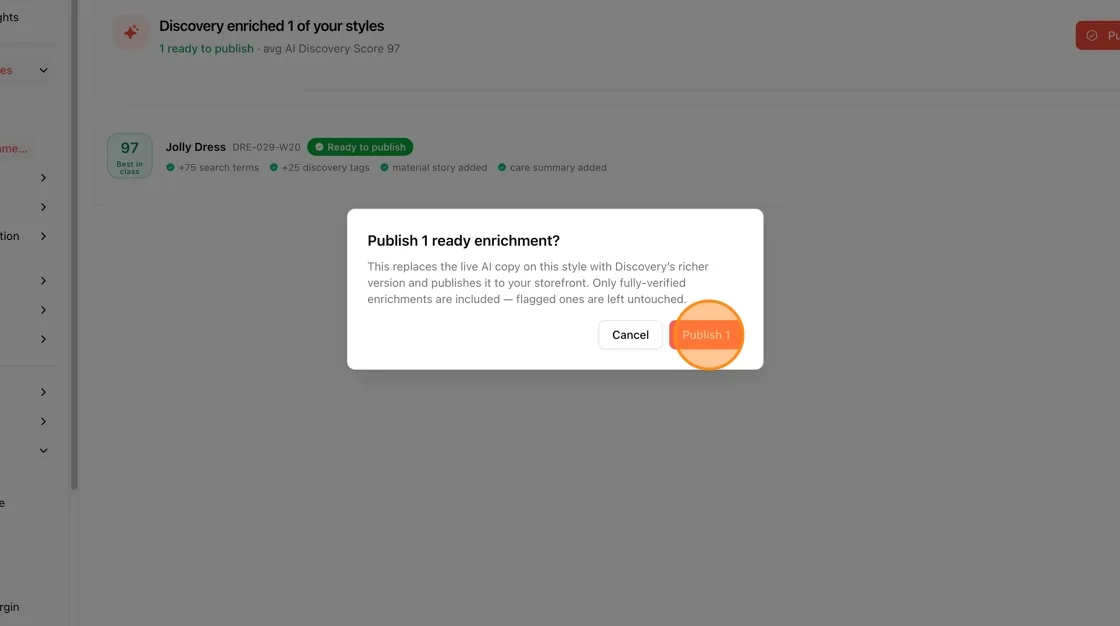
Confirm Bulk Publish
- Click Publish 1 to confirm, or Cancel to back out without publishing.
**Review an Individual Style
**
- Alternatively, click Review next to a specific style to inspect its enrichment details before publishing it on its own.
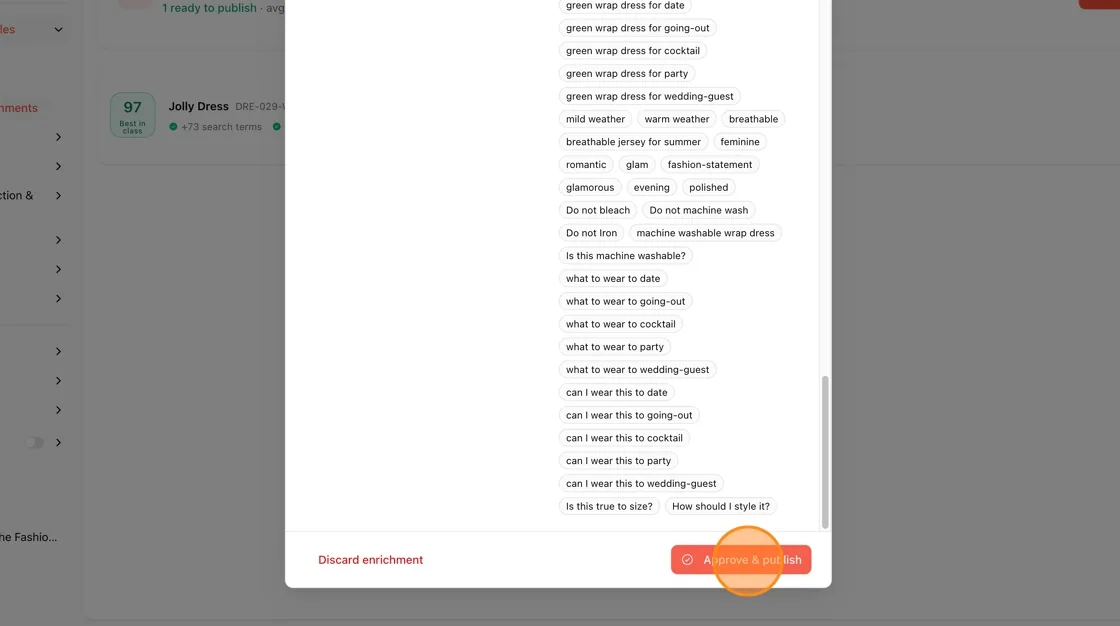
**Scroll Through the Proposed Tags and Care Content
**
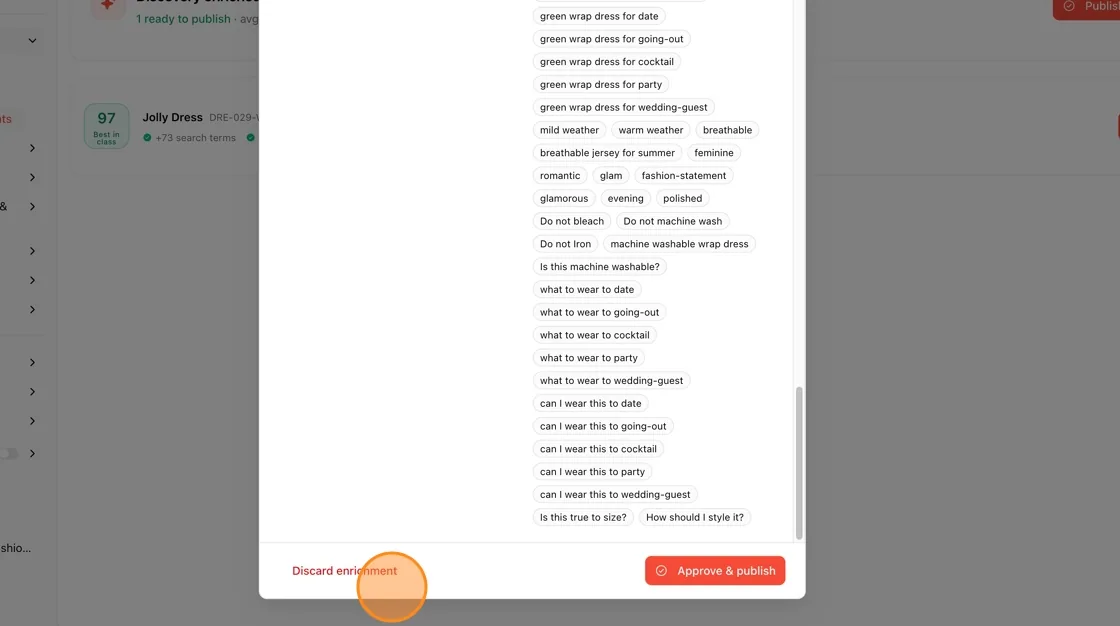
- The review panel lists the AI-generated tags in full: Occasion tags, Aesthetic tags, Fit descriptors and Semantic search terms.
- If claims need verification before publishing are listed, click Verify next to each claim you can back up. Approve & publish stays locked until every claim is verified. At the bottom, click Discard enrichment to reject the draft, or Approve & publish to accept it.
**Open the Full Review Modal
**
- Below that, the Proposed content section shows Summary, Short description, E-commerce description, Material story and Care summary. Where Atlas changes your current text, your current wording is shown struck through underneath. This text is for review; to change it, edit the copy in Vestis Atlas.
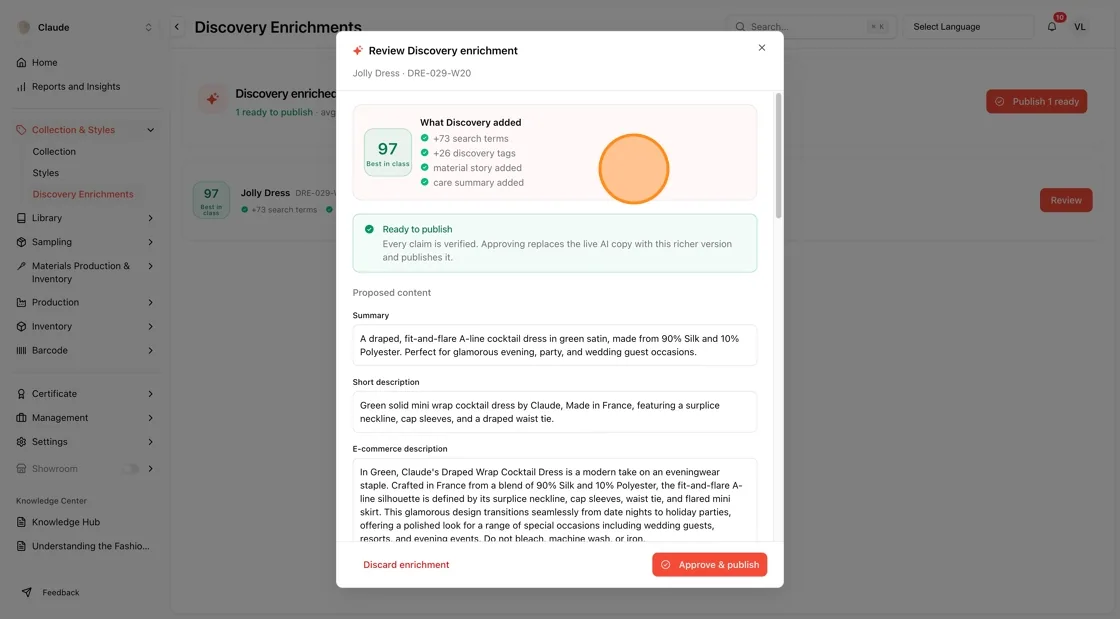
**Discard or Approve Individually
**
- Scroll to the bottom of the modal to find the same Discard enrichment and Approve & publish buttons.
- Approve & publish replaces the current live content for that style with Vestis Atlas' enriched version and publishes it.
- Discard enrichment removes the draft without affecting your live content.