
Delivered page in the raw materials shipping & tracking
The Delivered page in the Raw Materials Shipping & Tracking provides users with an overview of all completed shipments.
Under review. This page is published while we check it against the live app, so some details may have changed.
Screenshots may be out of date.
The Delivered page in the Raw Materials Shipping & Tracking provides users with an overview of all completed shipments. It displays shipment details such as tracking numbers, order references, carriers, delivery routes, and dates, allowing users to verify and review successful deliveries.
Materials Production & InventoryProductionShipping & Tracking
Permission: VIEW_MATERIAL_PRODUCTION
Open the Delivered tab on the Shipping & Tracking page.
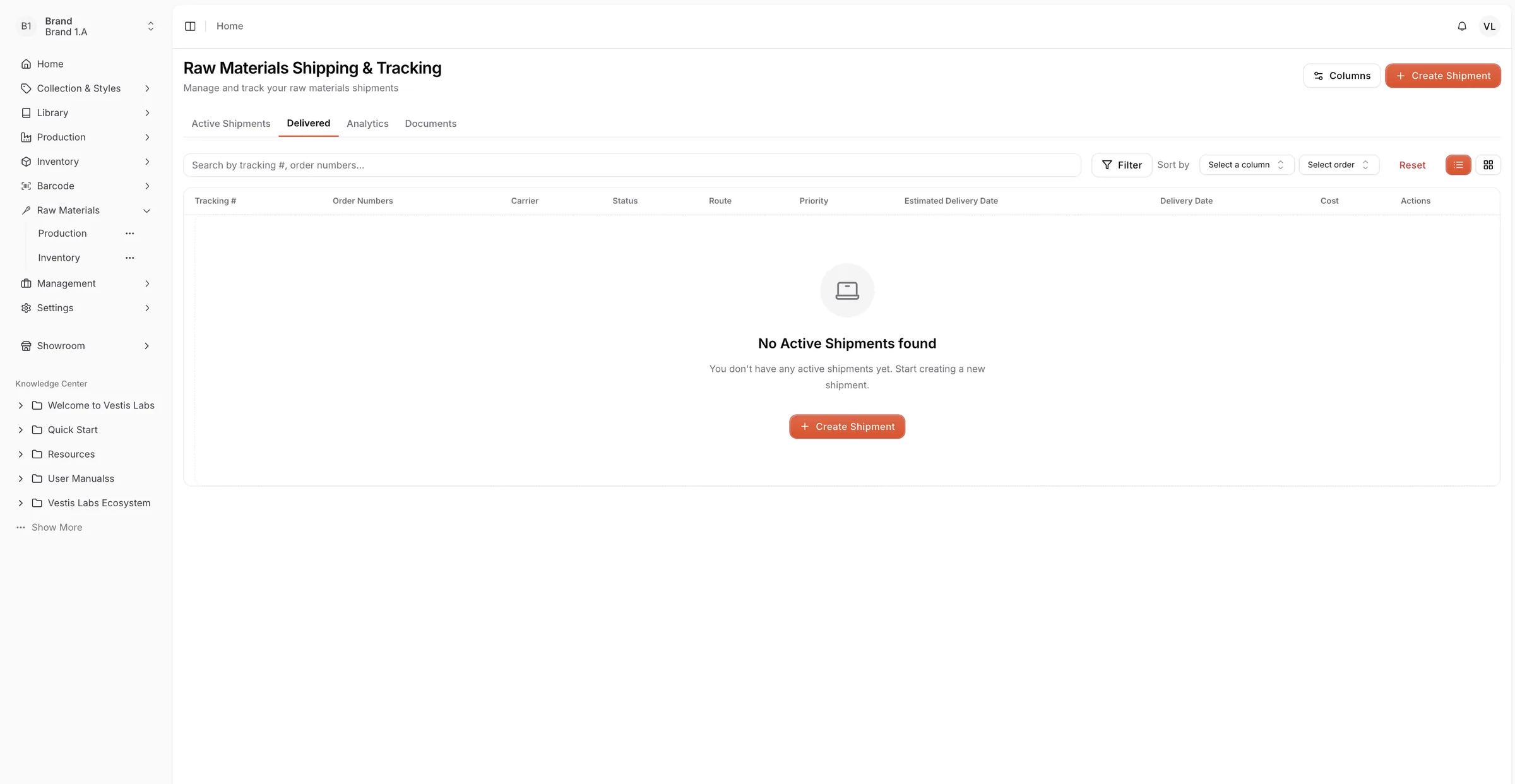
- Shipment List Table: Displays detailed information for each delivered shipment, including tracking number, order number, carrier, delivery route, status, cost, and delivery date.
- Search and Filter Options: Allows users to quickly find specific shipments using filters (Status, Priority, Supplier) or by searching tracking numbers or order numbers (Search by tracking #, order numbers...).
- Sorting Tools: Users can sort shipments by different columns such as delivery date or cost for better organization.
- Create Shipment Button: If there are no shipments yet, users with permission to update material production can click Create Shipment to start a new shipment process directly from this page.
This page helps ensure visibility and traceability of completed shipments, supporting efficient documentation and post-delivery review.