
Create a line sheet
Turn the styles you select into a printable line sheet, choose one of four layouts and the details to include, and save it as a PDF.
A line sheet is a one-document summary of the styles you want to show or sell, with the details you choose for each style. Vestis builds it from the styles you select and opens it on its own page, ready to print or save as a PDF.
Collection & StylesCollectionView StylesActionsCreate Line Sheet
Permission: VIEW_COLLECTION,VIEW_STYLE
Create a line sheet
Open the styles
Open the styles of a collection (Collection & Styles → Collection → View Styles), or open Collection & Styles → Styles.
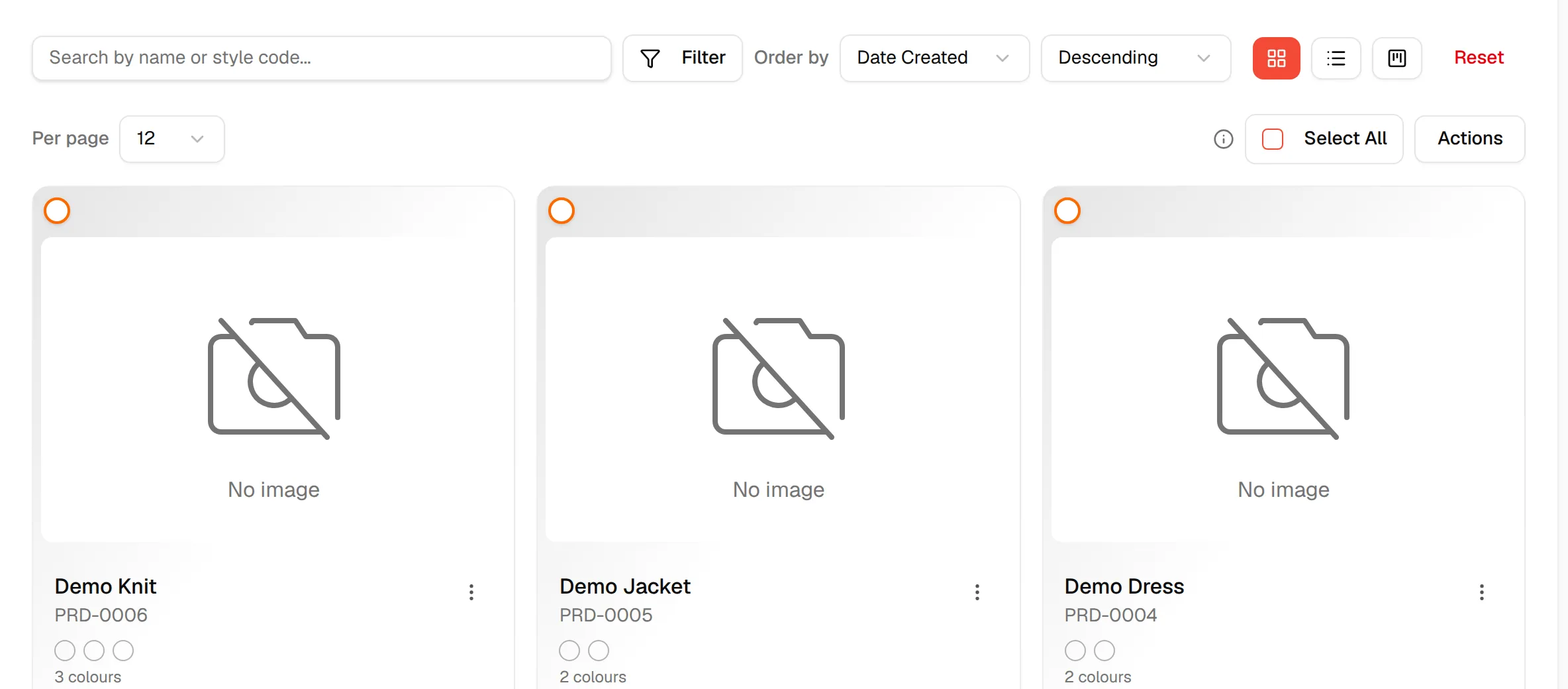
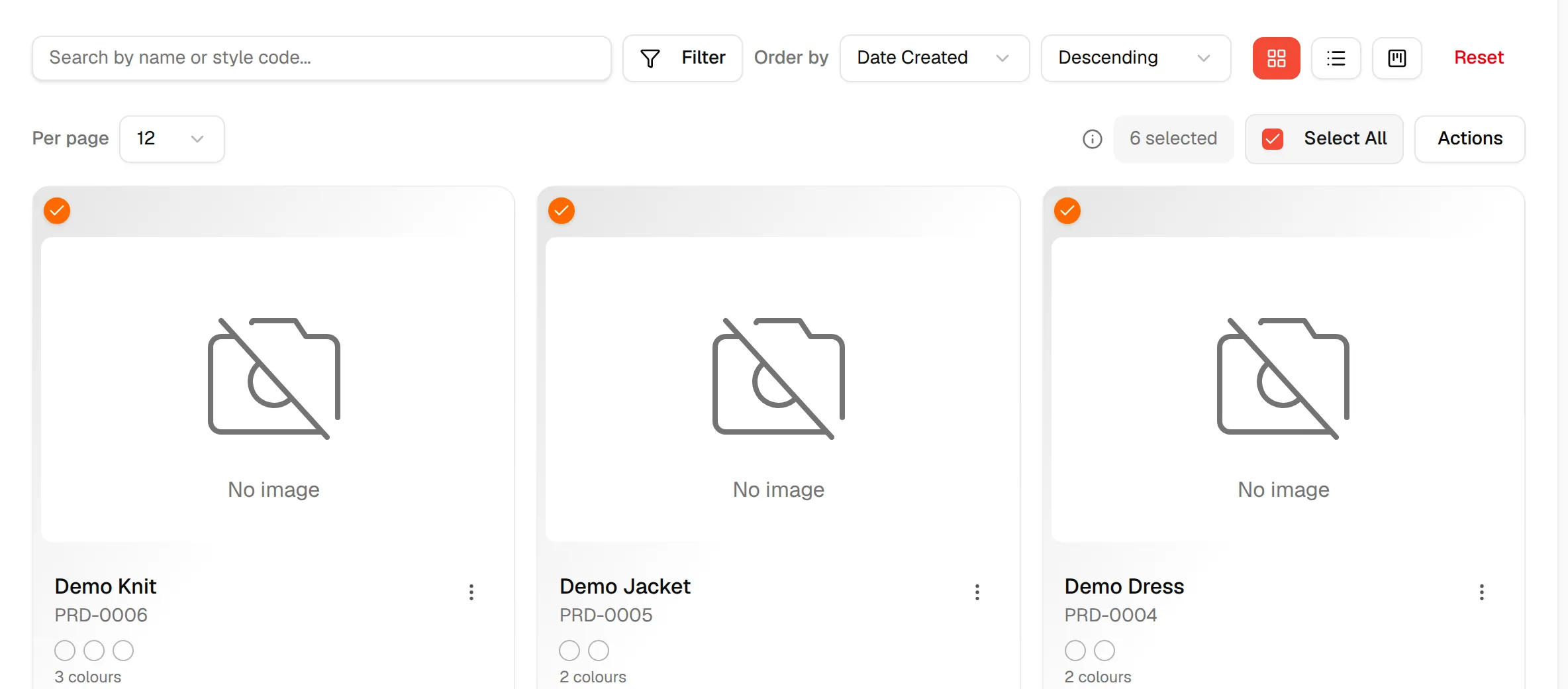
Select the styles
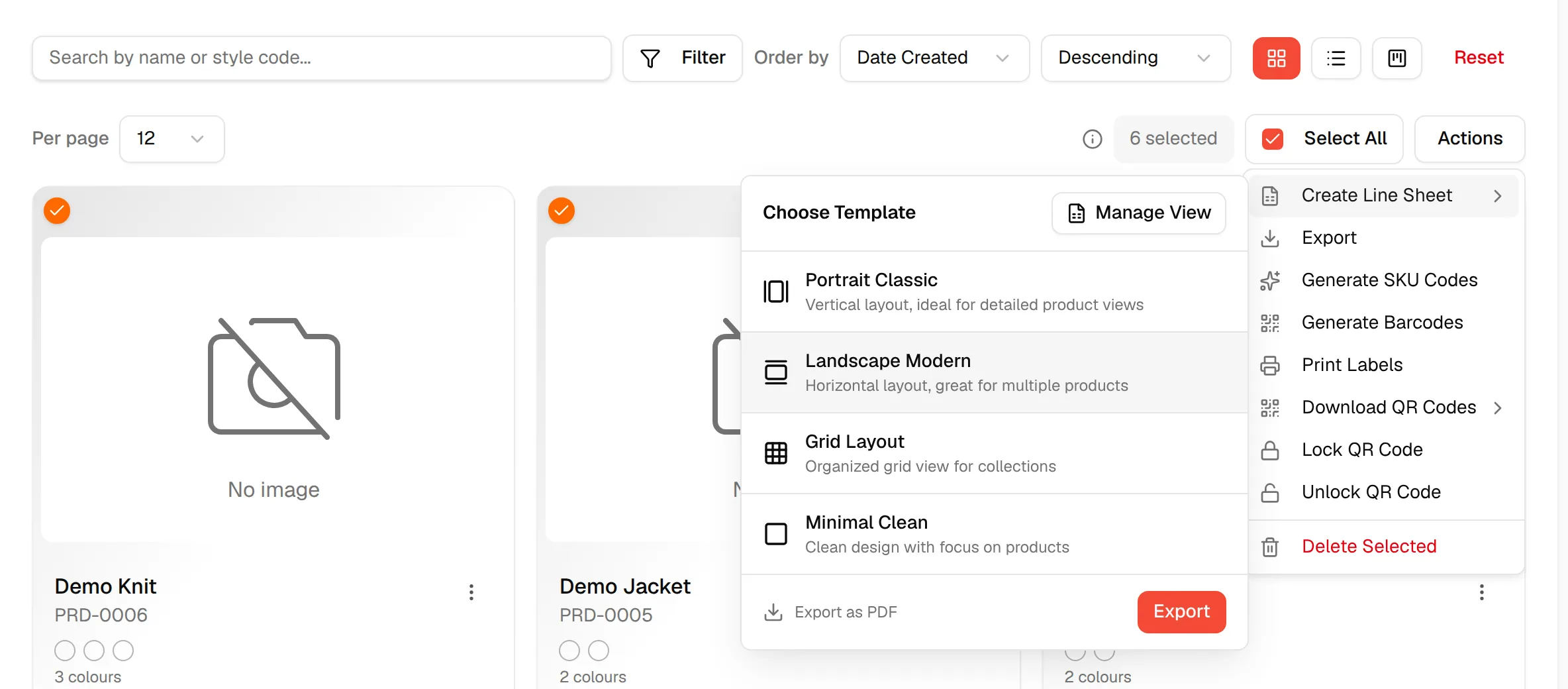
Tick the styles you want on the line sheet, or click Select All to select every style on the current page. The number of selected styles is shown next to it.
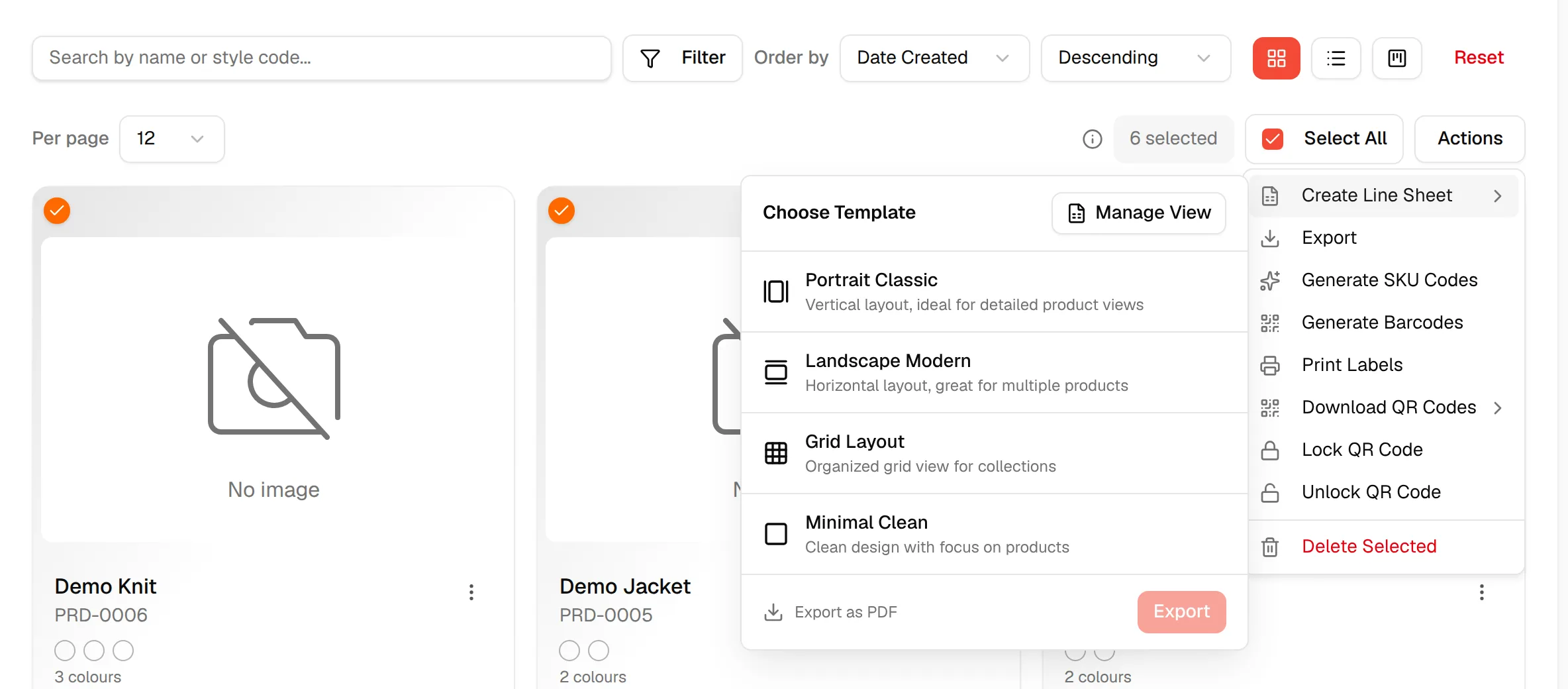
Open the Actions menu
Click Actions, then point at Create Line Sheet.
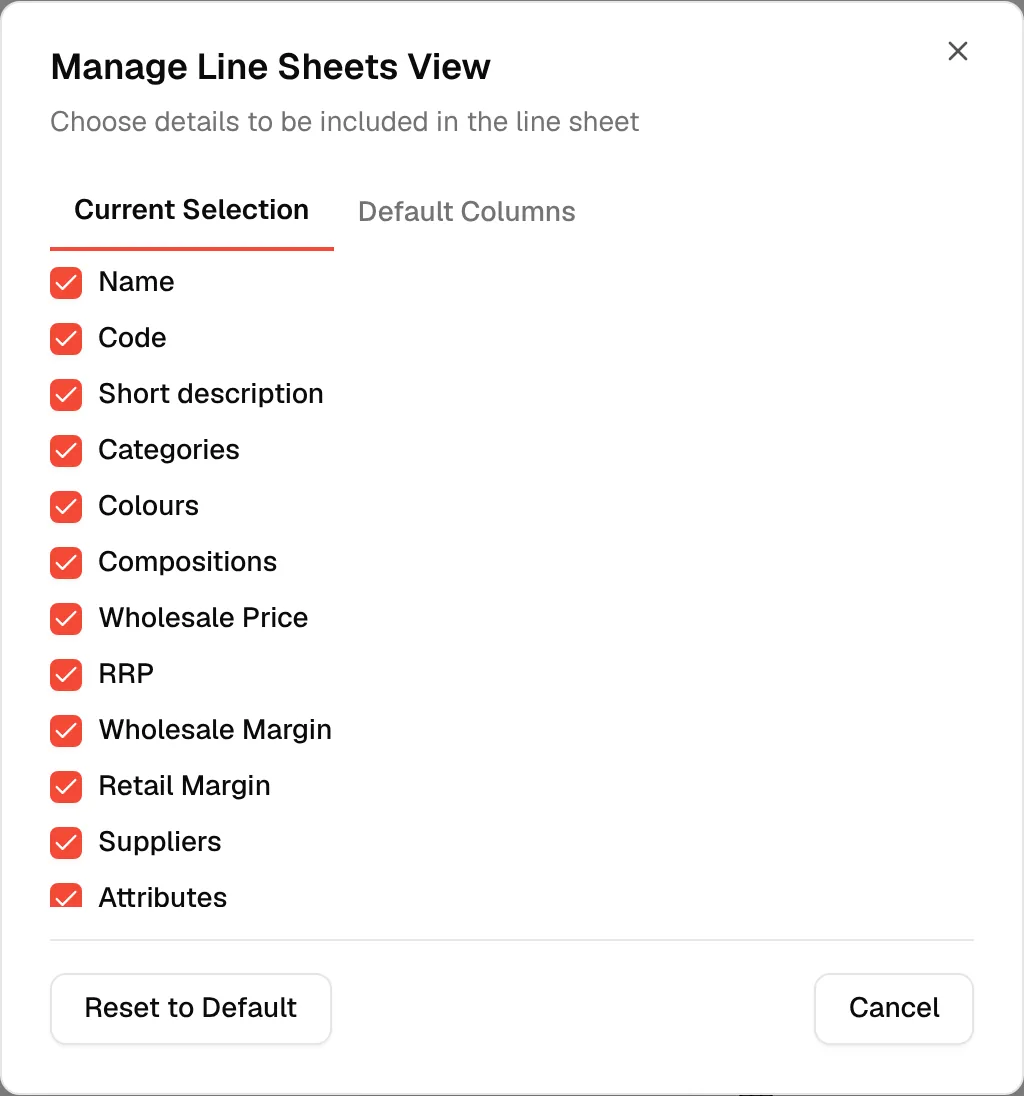
Choose the details to include
Click Manage View in the Choose Template panel. In Manage Line Sheets View, choose which details appear on the line sheet. See the list below.
Choose a template
Click one of the four templates. Your choice is highlighted, and Export as PDF stays disabled until you pick one.
Click "Export as PDF"
Click Export as PDF. The line sheet opens in a new browser tab.
Print or save as PDF
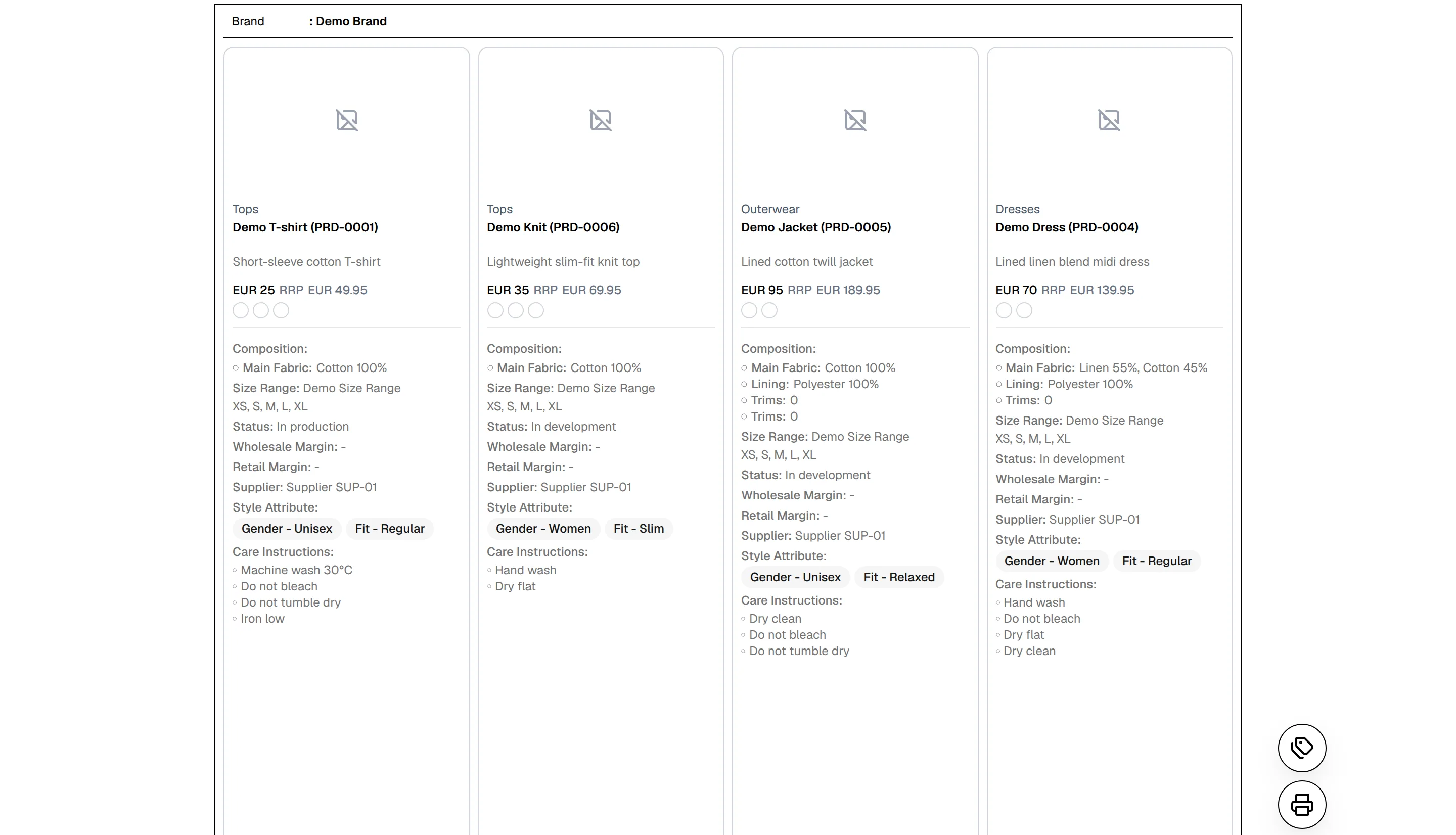
Click the print button at the lower right of the page, then choose your printer or Save as PDF in the browser's print window.
Templates
| Template | Description shown in the menu |
|---|---|
| Portrait Classic | Vertical layout, ideal for detailed product views |
| Landscape Modern | Horizontal layout, great for multiple products |
| Grid Layout | Organized grid view for collections |
| Minimal Clean | Clean design with focus on products |
The line sheet opens in Landscape Modern layout if the page address names no template.
Details you can include
In Manage Line Sheets View you can show or hide:
- Name
- Code
- Short description
- Categories
- Colours
- Compositions
- Wholesale Price
- RRP
- Wholesale Margin
- Retail Margin
- Suppliers
- Attributes
- Size range
- Status
- Care Instructions
Your choice is saved for you, and the window also lets you set the default layout that new users start with (Set Default Line Sheet Layout).
Choose which attributes to show
When Attributes is one of the details, a round tag button appears above the print button on the last page. Click it to open Select Attributes to Include, tick the attributes you want, and use Select All or Clear All.
What the page shows
Each page ends with a line Downloaded by: followed by your name and the date and time, so a printed or saved copy shows who produced it and when.
Note
The line sheet page is a normal web page without the Vestis sidebar. If it says Failed to load line sheet data, it asks you to check that the address is correct and try again. Close the tab and export again from the styles list.