
Shipping and tracking of the production orders
Users can manage shipping details and track the delivery status of production orders to ensure timely and accurate shipment updates.
ProductionShipping & Tracking
Permission: VIEW_BRAND_PRODUCTION
On the Shipping and Tracking page, there are four sub-menus designed to help users manage and monitor shipment activities efficiently:
- Active Shipments – View and track all ongoing shipments that are currently in transit or being processed. See Active shipments.
- Delivered – Review completed shipments that have been successfully delivered to their destination. See Delivered shipments.
- Analytics – Analyze shipment performance, shipment volume, and overall logistics efficiency. See Shipping analytics.
- Documents – Access and manage shipping-related documents such as invoices, packing lists, and delivery receipts. See Shipping documents.
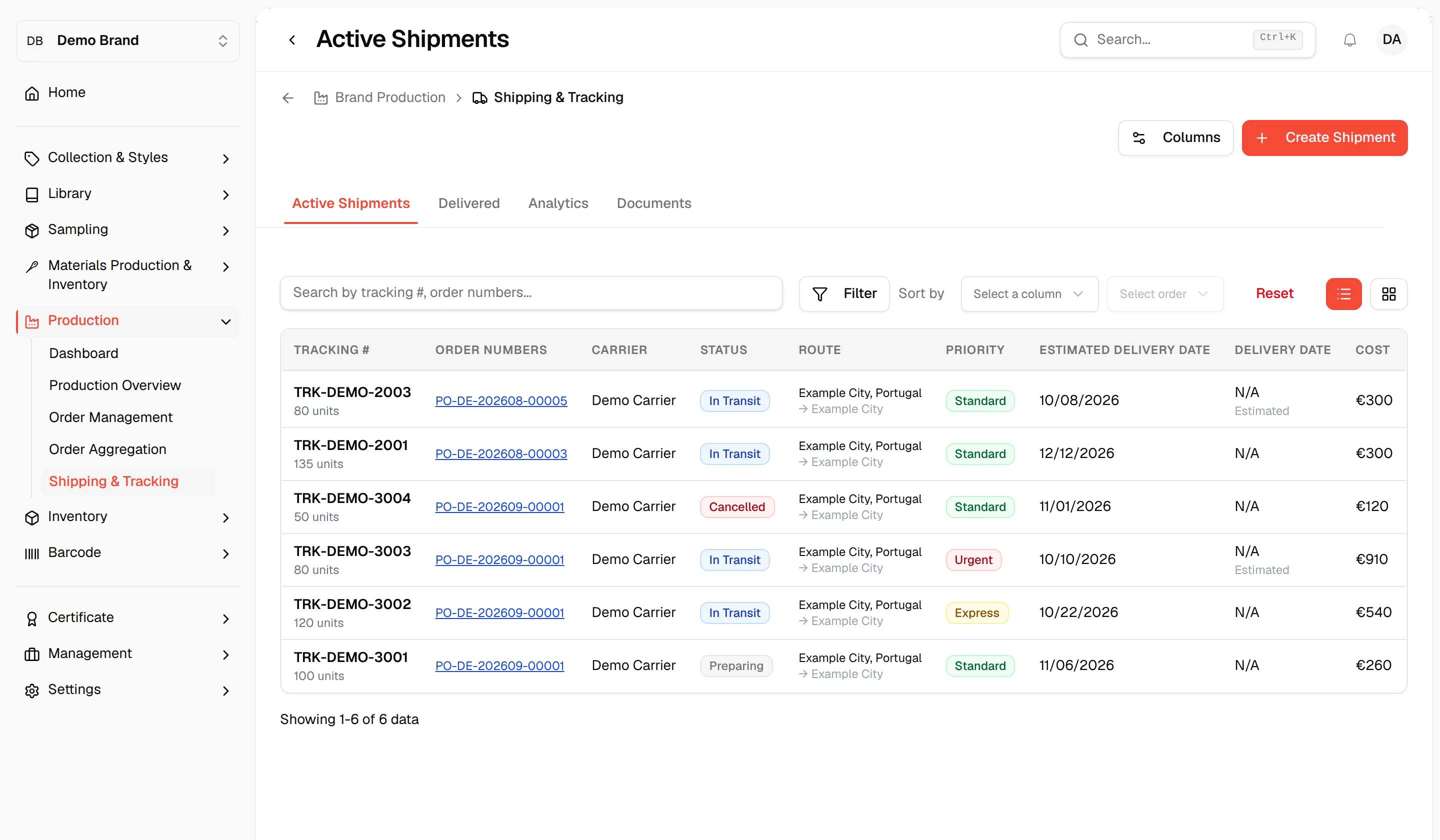
Users can also create new shipments directly from this page to manage and track the delivery process efficiently.
Page tools
Users with the Update production permission see two buttons at the top right of the page:
- Columns – Choose which columns of the shipments table are shown. The columns include Tracking #, Order Numbers, Carrier and Status.
- Create Shipment – Open the Create New Shipment dialog.
On Active Shipments, the filter bar lets you filter by Status, Priority and Supplier, and two icon buttons switch between the table view and the kanban view.
Create a new shipment
Click Create Shipment to open the Create New Shipment dialog: "Create a shipment for one or more production orders with multiple destinations". See Create a shipment for every field.
Note
You can also create a shipment from the Shipping tab of an order. See Shipping tab of a production order.