
Step 12 of 13 in Enrich your products with Atlas
Understand AI visibility tracking in Vestis Atlas
A simple guide to checking whether AI answer engines mention your brand and products - and how to read the results.
Under review. This page is published while we check it against the live app, so some details may have changed.
Screenshots may be out of date.
The most important thing to know
AI visibility tracking is a repeatable test, not a placement guarantee. Vestis Atlas runs selected shopper questions through connected AI answer engines and records what they return at that time.
How the process works

Before you start
- Set your brand profile first. In Settings, fill in Brand name, Aliases and Domains. Without a brand name, Atlas can only match your product names and brand mentions are not detected at all.
- Use questions that a real shopper might ask, without forcing your brand name into every question.
- Keep the same campaign when comparing results. Changing the questions changes the test.
- Look for patterns across several runs. A single AI answer can change from one run to the next.
Open Atlas
Go to atlas.vestislabs.com/dashboard, sign in and select "AI visibility" from the top menu.
Understand what Atlas is measuring
Atlas sends each saved question to Perplexity, ChatGPT and Google Gemini. It then checks the returned answers to see whether your brand or product is mentioned and whether your website is linked, and stores the result as a dated check.

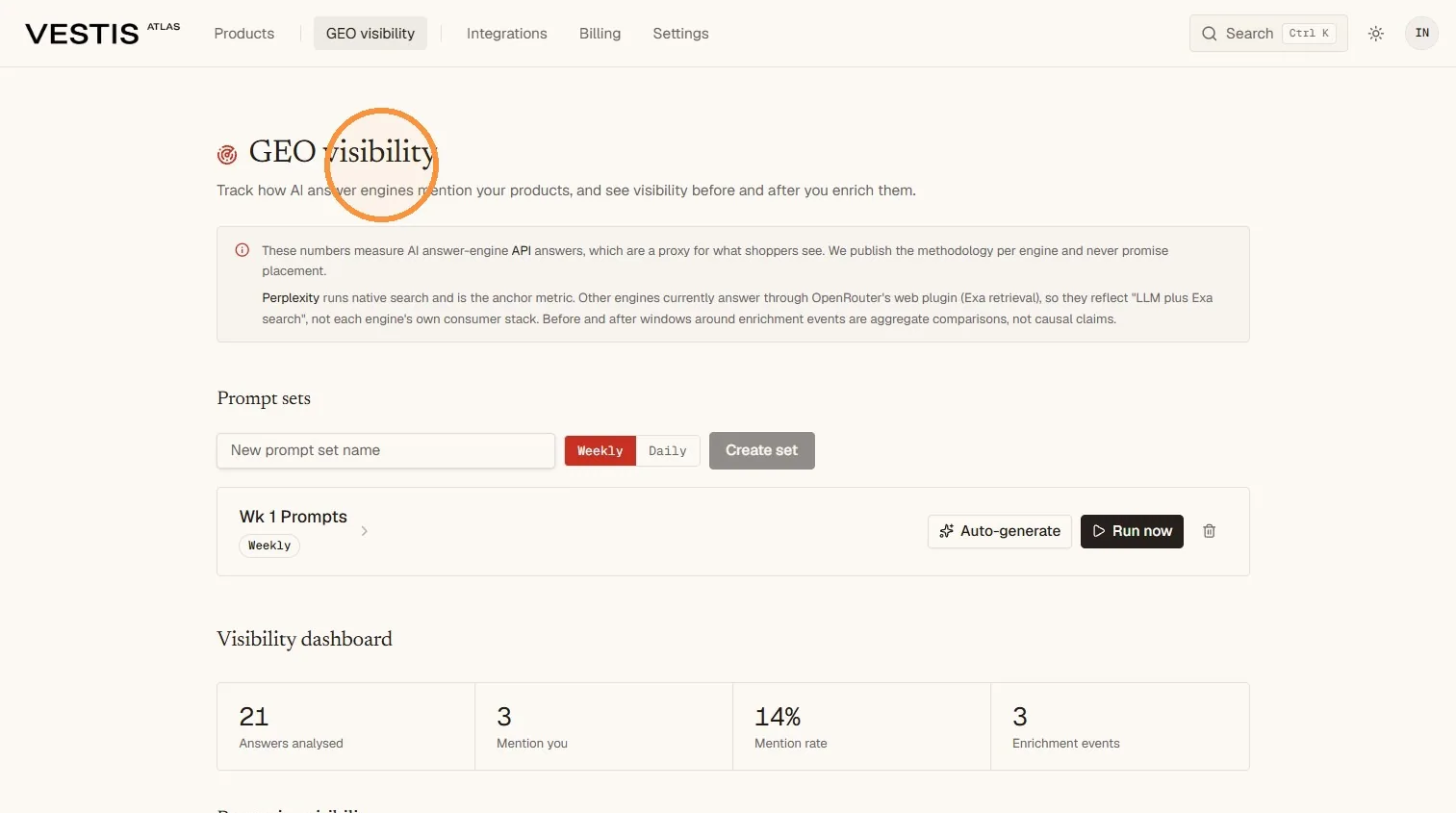
What this tracking can tell you
It gives you a consistent visibility signal: which questions lead to mentions, your overall mention rate and whether that pattern changes over time.
What it does not tell you
It does not measure every shopper session, website traffic, clicks, sales or a permanent search position. A mention also does not automatically mean that your product was ranked first or positively recommended.
Open AI visibility and create a campaign
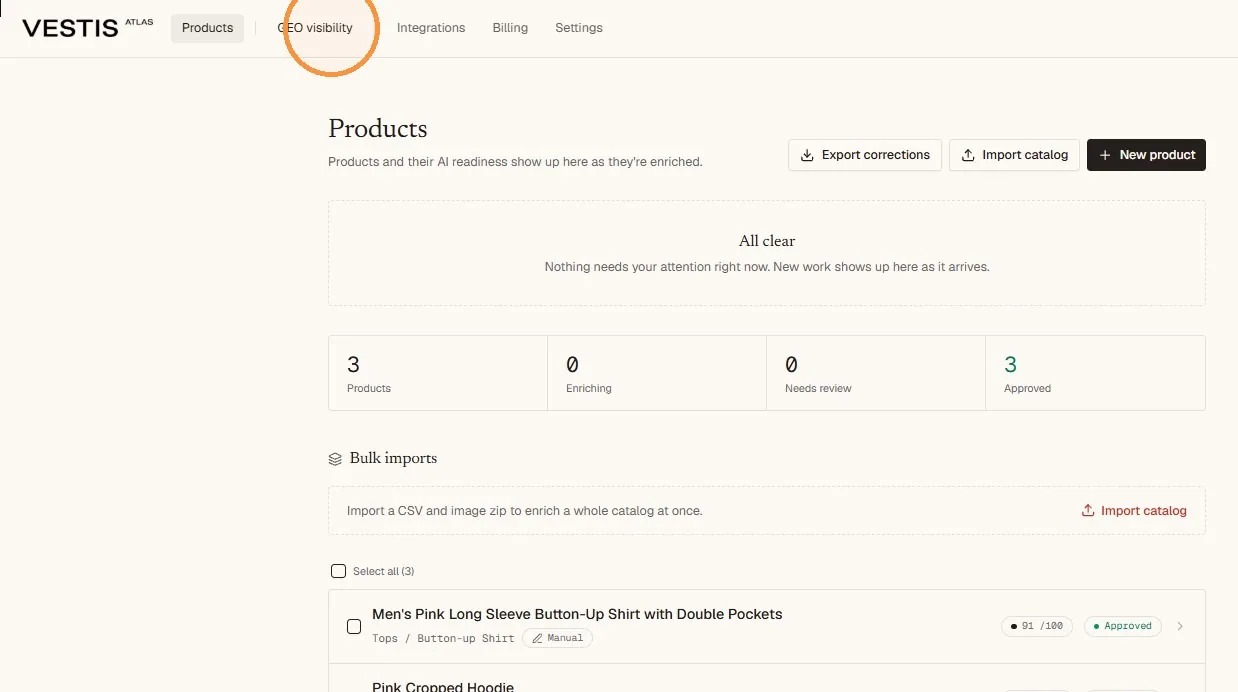
From the Products page, select AI visibility in the top menu.
Enter a clear name for the campaign in the Campaign name field, such as "Core products - weekly".
Choose how often Atlas should check it: Every week or Every day. Atlas then runs the campaign automatically at that rhythm, and you can still select Check now at any time. Your plan decides which options you can use.
Select Create campaign.
What is a campaign?
A campaign is a saved group of products and shopper questions that Atlas checks together. Keeping the group consistent makes later comparisons more meaningful.
Use separate campaigns when you need to track different markets, product groups or seasons. Give each campaign a name that makes its purpose and cadence easy to recognise. You can change the cadence later: open the campaign and use How often we check.
Choose prompts that give useful results
A prompt is the question Atlas sends to an AI answer engine. The quality of the questions determines how useful the tracking will be.
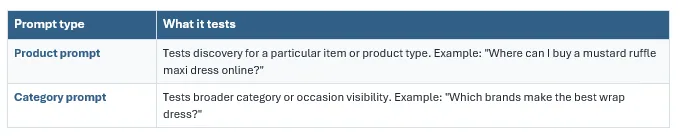
Write prompts like a shopper
Use natural wording, product details and real use cases. Avoid including your brand name in every prompt, because that tests whether an engine can retrieve a known brand rather than whether it discovers you.
A useful prompt usually:
- describes the product, category, occasion or need clearly;
- is specific enough to produce a meaningful answer;
- matches the products and markets you want to track; and
- can be repeated without rewriting it each time.
Keep the comparison fair
Do not substantially edit the campaign's questions while assessing a before-and-after change. Create a new campaign when you want to test a different group of questions.
Choose products, then write and review the questions
Click the campaign name to open it. Under Products, check the approved products you want tracked and click Save products. If nothing is listed, Atlas shows No approved products yet.
Select Write questions for me to let Atlas suggest product and category questions from those products. Products that are still awaiting approval are ignored, so approve the catalogue you want to track first.
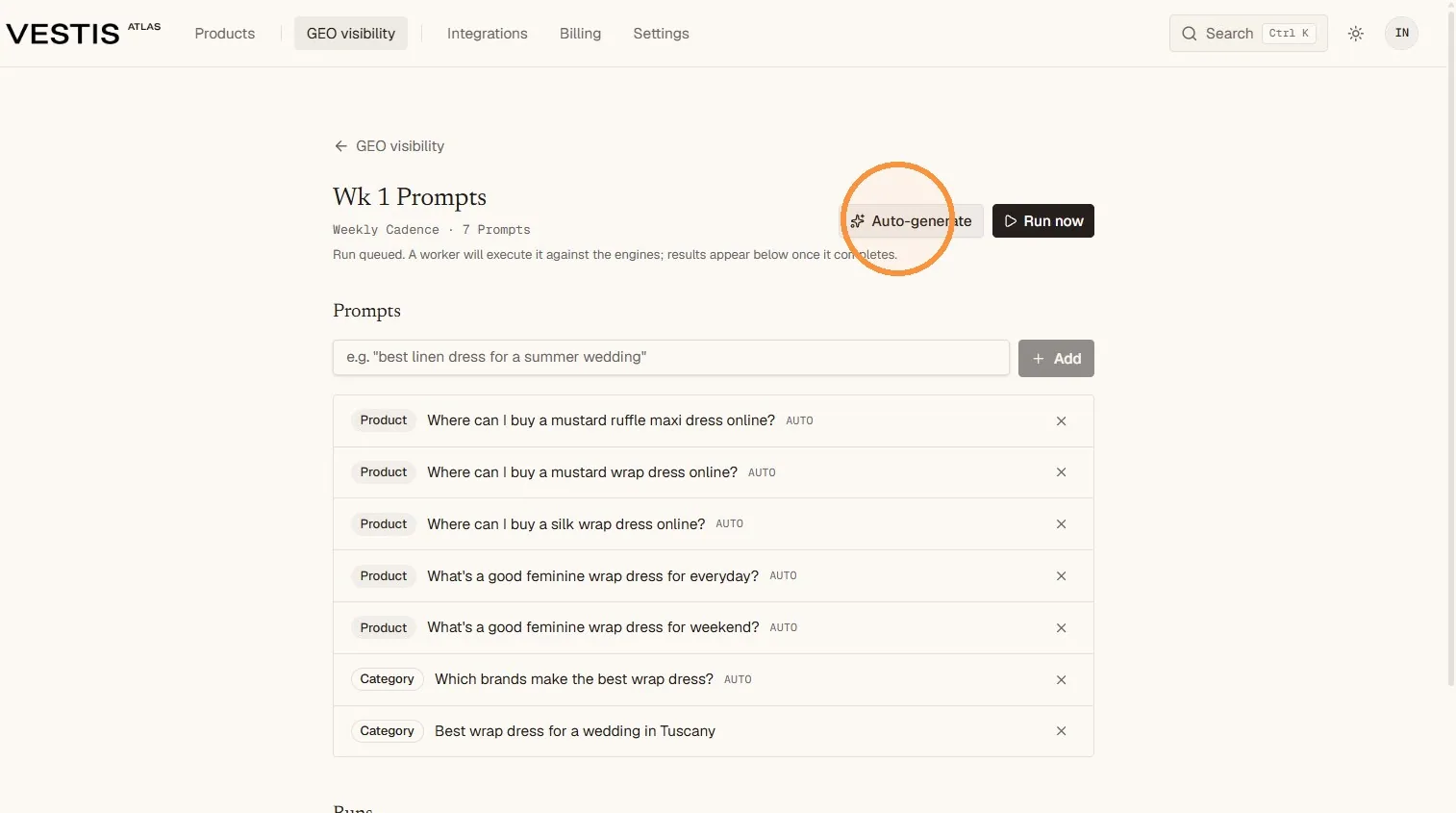
- Review every suggested question under Questions. Items marked "Written for you" were created by Atlas.
- Each question carries a label: About a product, About a category or About your brand.
- Correct awkward wording, inaccurate product details or questions that do not suit your market.
- Use the New question field and Add to include your own shopper questions.
- Use the x at the end of a row to remove a question that is duplicated or not useful.
Auto-generated prompts are a starting point
They make setup faster, but they still require human review. The best set combines Atlas suggestions with questions based on your customers, products and commercial priorities.
Run the visibility check
When the campaign is ready, select Check now. Atlas starts a check, asks the AI assistants your questions and lists the finished check under Checks.
- Check that the question list is correct before starting.
- Select Check now once.
- Wait for the check to finish. It shows Waiting, then Checking, then Done (or Failed). Results usually appear within a few minutes.
- Use the AI visibility link at the top of the page to return to the overview.
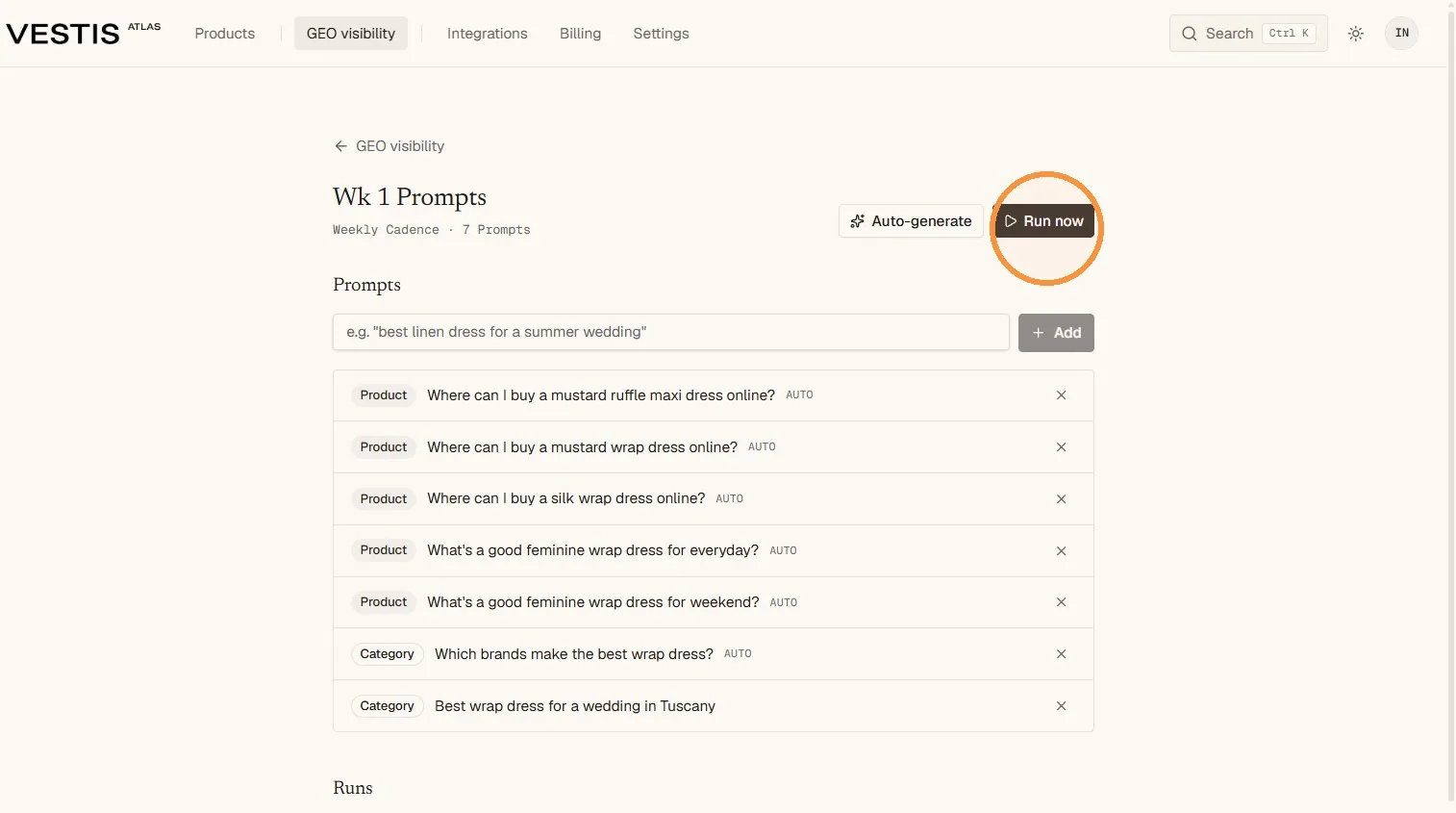
Each run is a snapshot
AI answers can change as models, sources and search indexes change. Atlas repeats the check at the cadence you chose, and you can add a check yourself with Check now. Use the trend across checks rather than treating one result as final.
Avoid duplicate runs
Each check counts against your plan's allowance for Visibility checks, which you can see on the Billing page. Wait for a running check to finish before starting another.
Read the visibility dashboard
The AI visibility overview shows Your results for all campaigns. Use the period buttons (7 days, 30 days, 90 days, All time or a custom range) and the campaign filter to narrow what you see. Open a campaign to see the same dashboard for that campaign under Full dashboard.
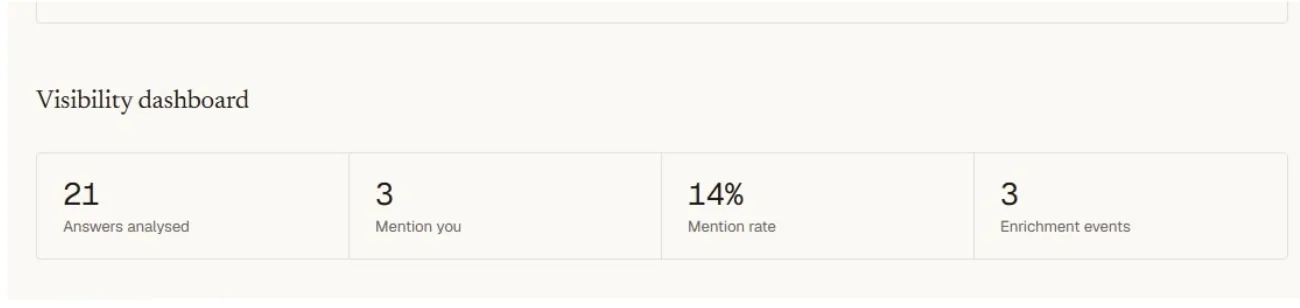
The top tiles show Visibility (how often you are mentioned), Your rank, Share of voice, Your page linked and Average position when listed. Below them, Answers checked and Times you published count what Atlas read and when you published.
- How each assistant sees you gives one card per assistant.
- Mention rate over time draws one line per assistant, with dashed lines on the days you published.
- Who else the AI recommends lists other brands that appear in the same answers.
- Before and after you published compares two periods around your publishing dates.
- Which pages the assistants link to lists the pages assistants link to and whose page they are.
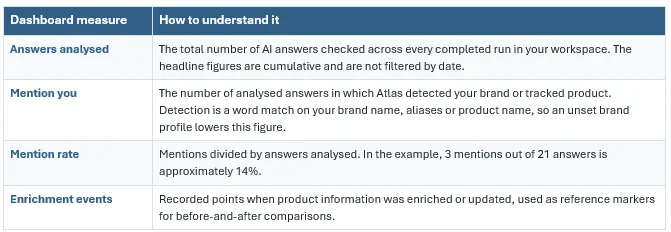
A mention is not the same as a ranking
The mention rate shows how often you appeared in the analysed answers. It does not by itself show your position, the tone of the answer, click-throughs or sales.
Compare visibility around enrichment events
Atlas can compare visibility before and after product information is enriched. This helps you see whether stronger, more complete product data is followed by a change in mentions.
What to look for
- A sustained increase or decrease across several comparable runs.
- Specific prompts that begin or stop producing mentions.
- Product or category areas that remain consistently invisible.
- Large one-off fluctuations that do not continue in later runs.
Before and after does not prove cause
An enrichment event is a useful reference point, but other factors may also change the answers - including engine updates, newly indexed sources, competitor activity and changing web content.
Use the same test
For a meaningful comparison, keep the prompt wording, prompt set and cadence consistent. Also allow time for updated website data to be published and discovered.
Use the results correctly
AI visibility tracking is most useful as an ongoing directional measure. Use it to identify patterns, prioritise data improvements and test again - not to promise a guaranteed placement in an AI answer.
Good tracking practice
- Keep a stable core prompt set and run it consistently.
- Record meaningful product-data and website changes.
- Review individual prompts as well as the overall mention rate.
- Base decisions on repeated patterns, not one isolated result.
- Treat the results as evidence to investigate, not proof of cause or guaranteed visibility.
How the current Vestis Atlas method should be interpreted
Vestis Atlas measures answers returned through connected answer-engine APIs, which act as a proxy for what shoppers may see. All engines are reached through OpenRouter. Perplexity Sonar runs its own native search stack and is used as the anchor measure. GPT-4o and Gemini 2.5 Flash are run with OpenRouter's web-search plugin, so those results are not necessarily identical to each engine's consumer app. The engine roster can change as models are updated.