
Tech pack checklist settings
Add, rename, regroup and delete the checklist items that appear in the tech pack checklist of every style.
Tech Pack Checklist lets you manage the checklist items that appear in tech pack checklists across all styles. Items are grouped by category on the page.
SettingsCollection & StyleTech Pack Checklist
Permission: VIEW_STYLE,UPDATE_STYLE
Note
Everyone with access to the page can see the list. The New button and the three-dot menu on each item only appear if your role can update styles.
Add a checklist item
Open Tech Pack Checklist
From the left sidebar, click Settings, then Collection & Style, then Tech Pack Checklist.
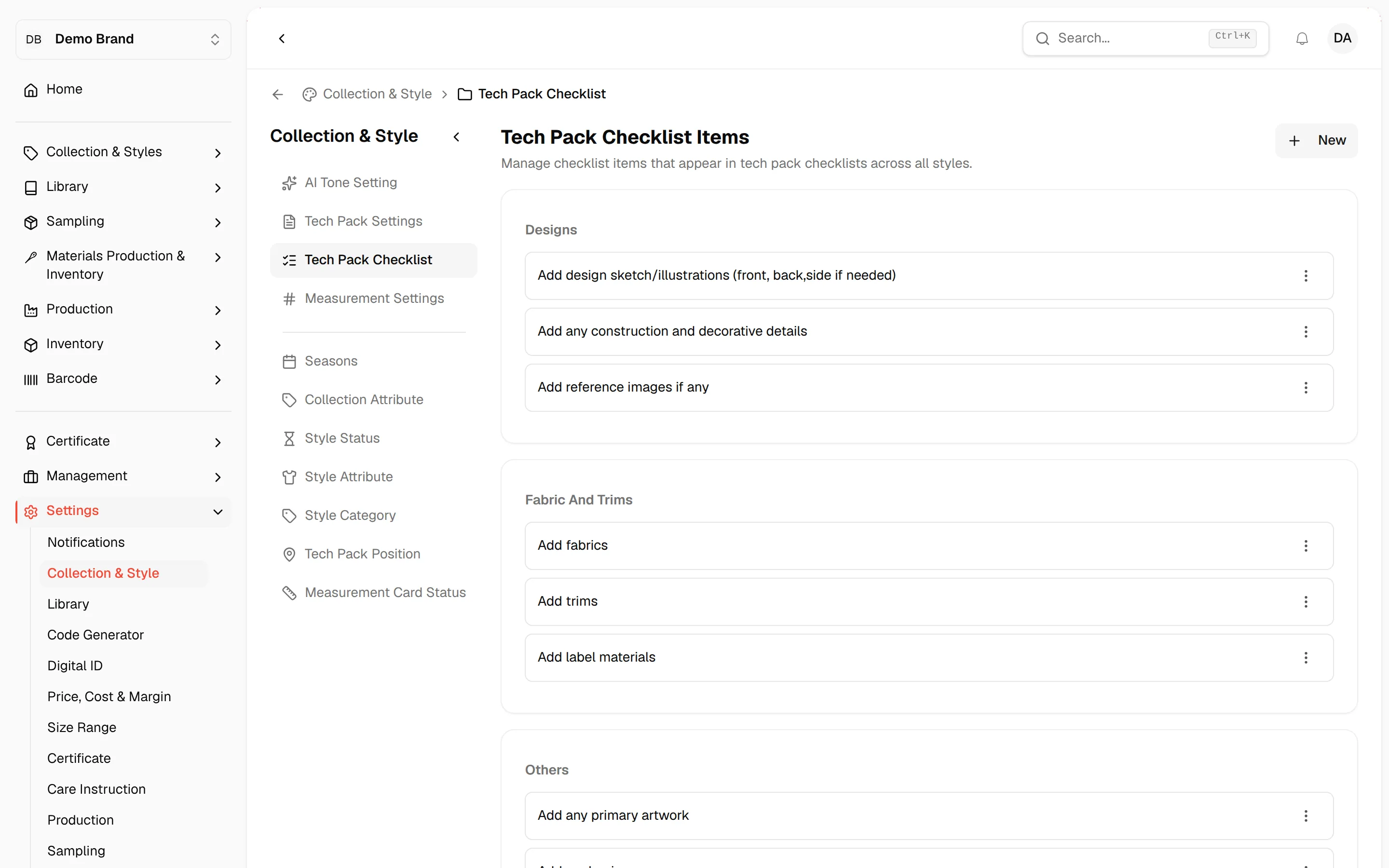
Click "New"
Click the New button above the list. A row with Name and Category fields opens.
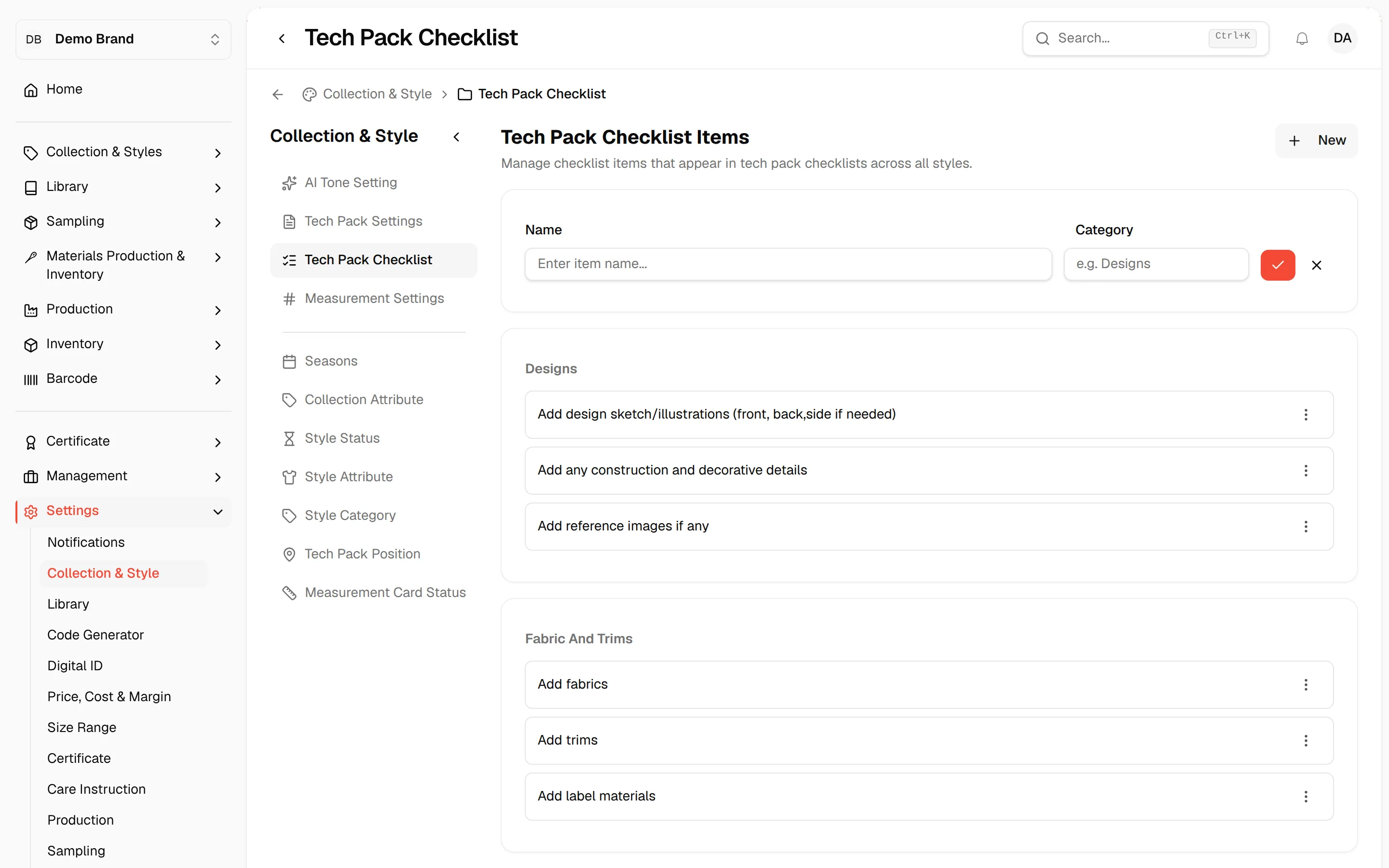
Enter the item name
Type the checklist item in the Name field. This field is required.
Enter the category
Type a group in the Category field, for example Designs, or pick one of the categories already in use. This field is required.
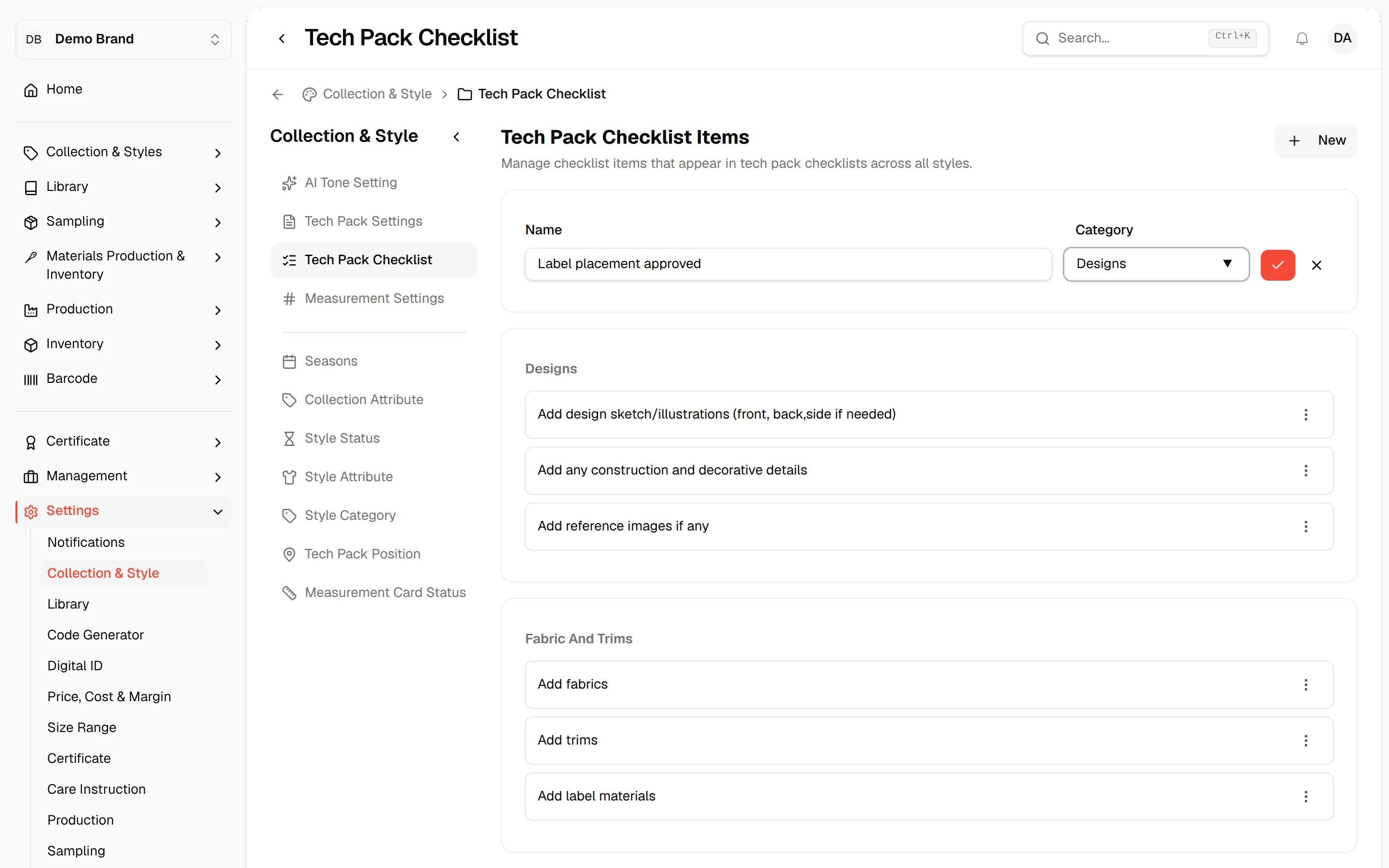
Save the item
Click the check icon at the end of the row. Click the cross icon instead to cancel.
Edit a checklist item
Open the item menu
Click the three-dot menu on the item and select Edit.
Change the item
Change the name or the category in the row.
Save the change
Click the check icon. Click the cross icon to cancel.
Delete a checklist item
Open the item menu
Click the three-dot menu on the item and select Delete.
Confirm
In the Are you sure? window, click Delete. The item is permanently deleted and this cannot be undone.
When no items exist yet, the page shows No checklist items yet. Click "New" to add your first item.