Inventory of raw material management overview
The Inventory of Raw Material Management provides users with complete visibility and control over all raw material inventory activities.
Under review. This page is published while we check it against the live app, so some details may have changed.
Screenshots may be out of date.
The Inventory of Raw Material Management provides users with complete visibility and control over all raw material inventory activities. T his feature allows you to monitor stock levels, track inventory movements, manage incoming materials, and perform stock adjustments efficiently across different warehouse locations.
It ensures that your production and warehouse operations remain synchronized, minimizing stock discrepancies and improving inventory accuracy.
Materials Production & InventoryInventoryDashboard
Permission: VIEW_MATERIAL_INVENTORY
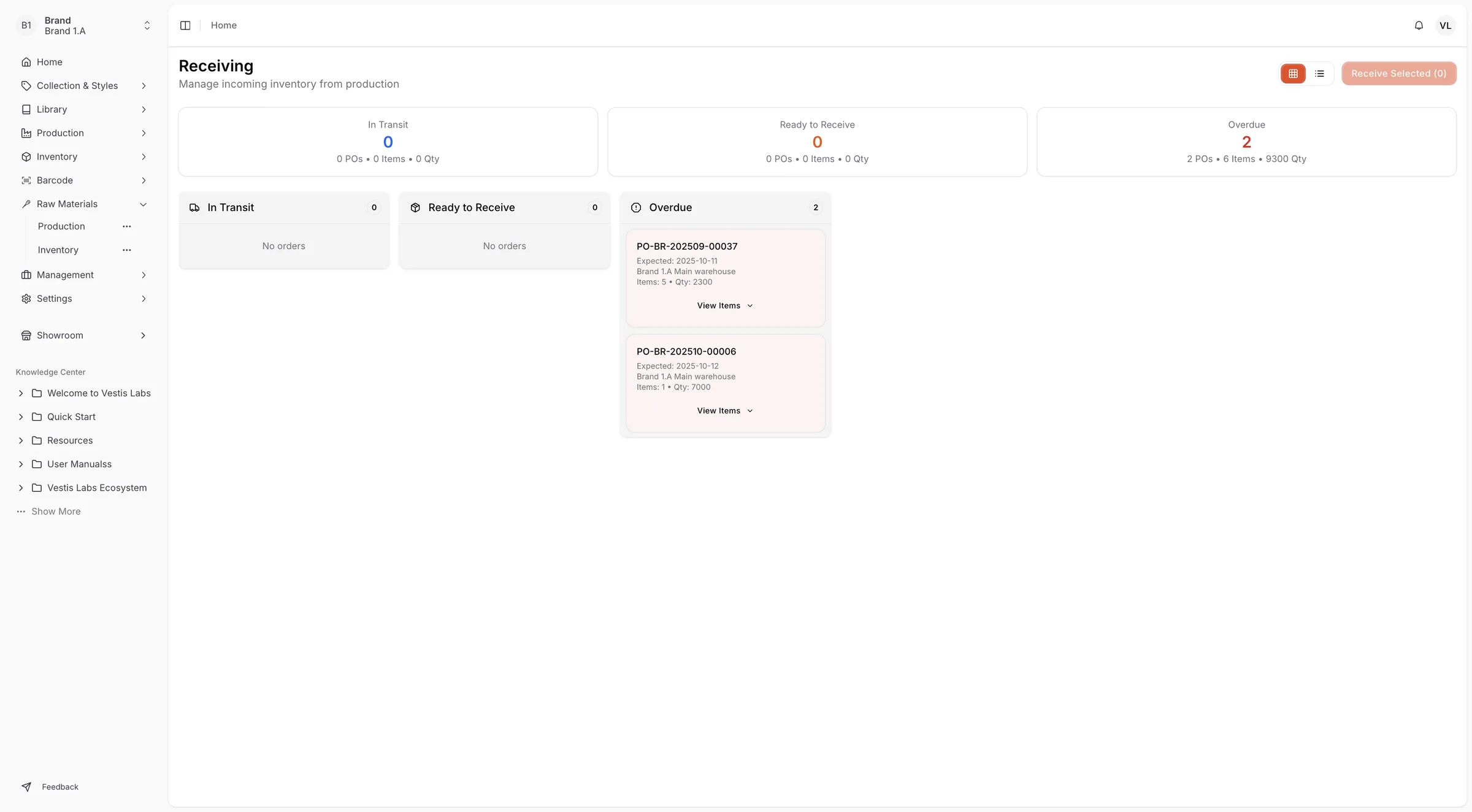
Inventory dashboard
The Inventory Dashboard offers a summarized overview of the current inventory status, including:
- Location Filter – Select a specific warehouse or view all locations.
- Total Items – Displays the total number of raw material items currently in stock.
- Total Value – Shows the overall inventory value of materials.
- Low Stock & Out of Stock Alerts – Highlights materials that need replenishment or are currently unavailable.
- Incoming Materials – I ndicates items and quantities expected to arrive from production.
- Recent Activity – Displays the latest movements, such as received materials or stock corrections.
Stock overview
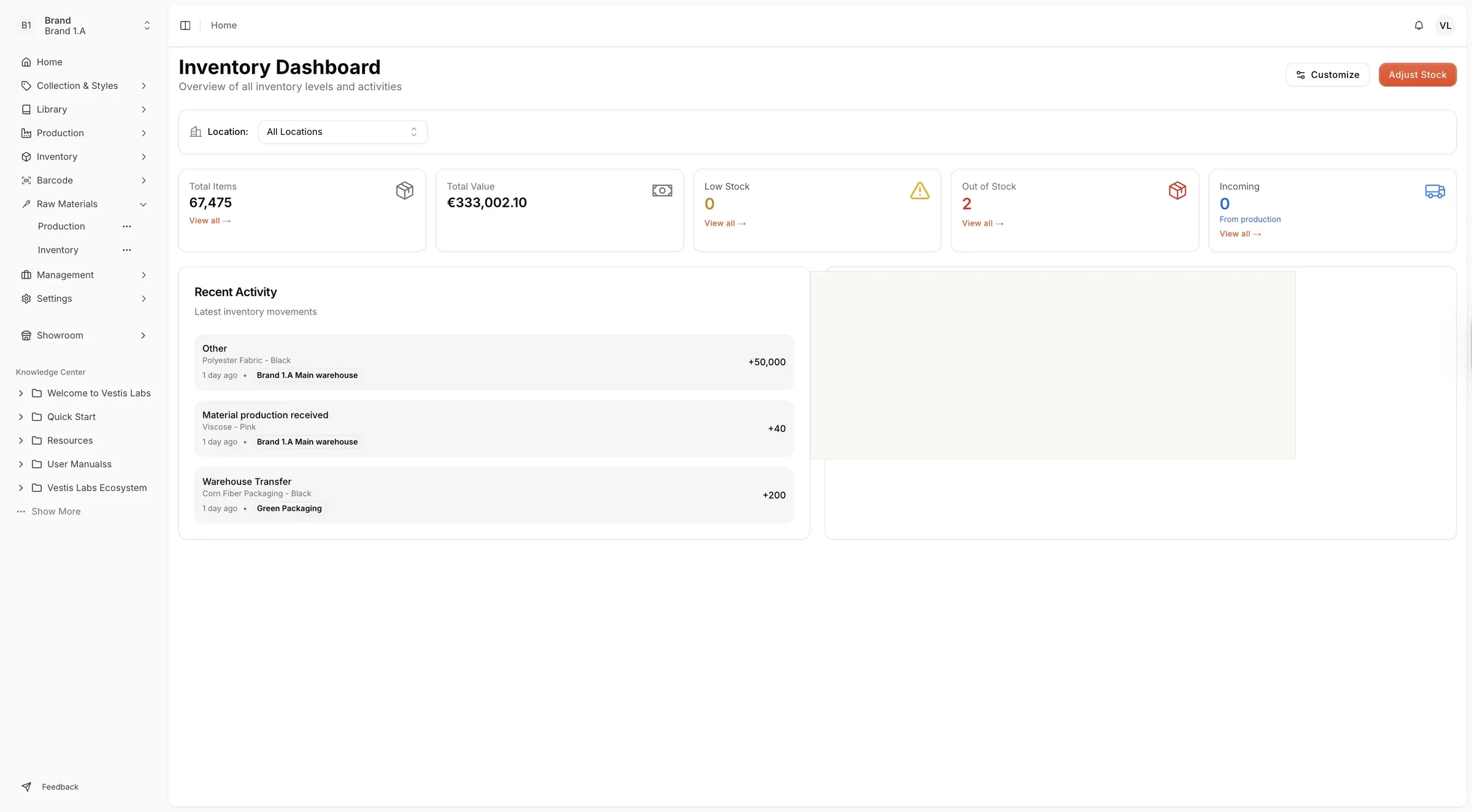
The Stock Overview section allows users to manage and track all inventory levels by item, location, and supplier.
It displays:
- View product details including Product Name, SKU, and Supplier
- Monitor Available, Reserved, and Incoming quantities.
- Review stock Value in both original and base currencies.
- Identify Stock Status (In Stock, Low Stock, Out of Stock, Overstock).
- Track Last Updated dates and notes such as received item records.
- Filter, export (Excel or PDF), or customize columns for better visibility.
Stock adjustments
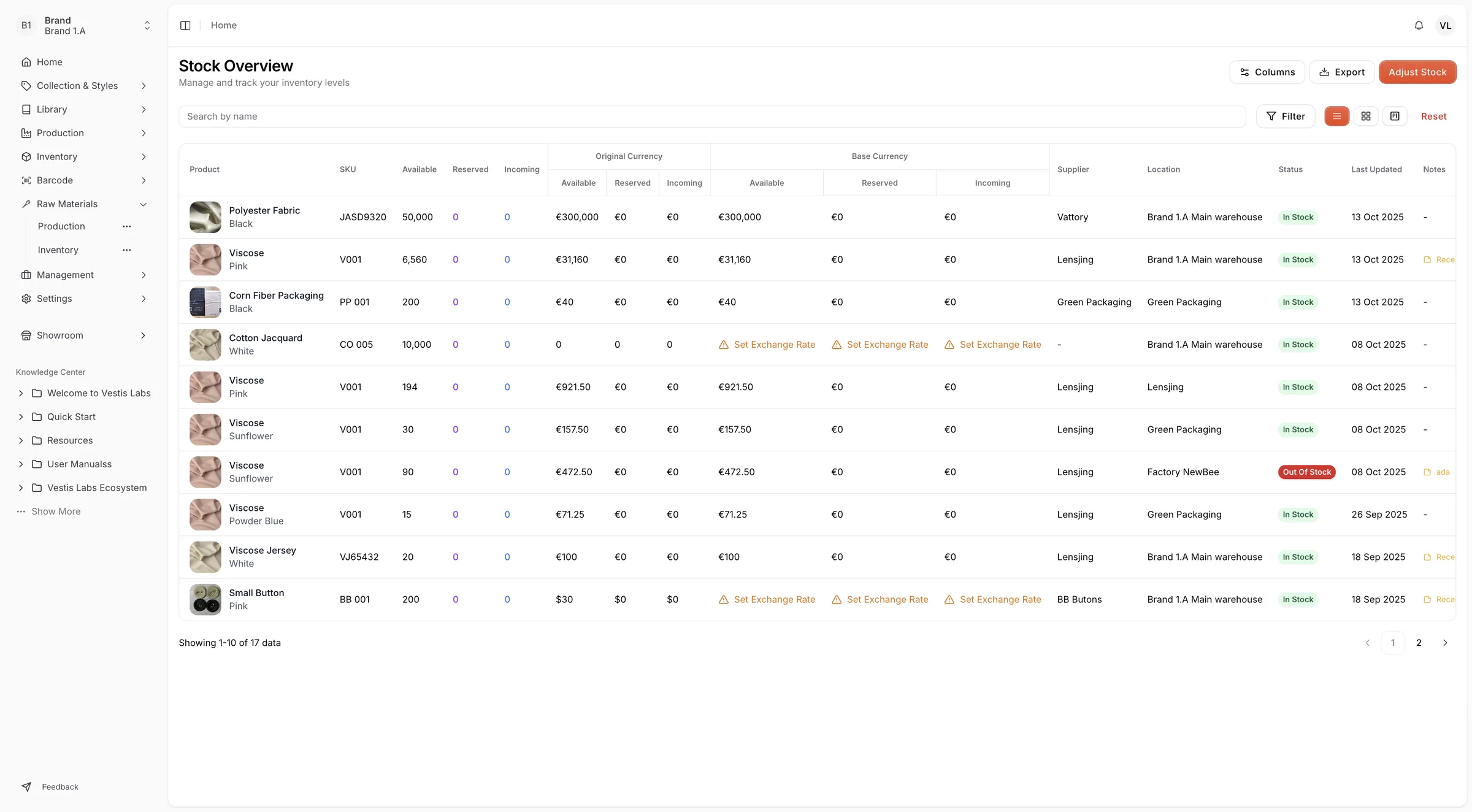
The Stock Adjustments page records all inventory changes to maintain data accuracy.
It displays:
- Adjustment Type – Indicates whether the quantity was increased or decreased.
- Quantity Change – Displays the number of units adjusted.
- Before → After – Shows the stock level before and after the adjustment.
- Reason – Explains the cause (e.g., Material Production Received, Physical Count Correction).
- Date & Time – Logs the exact timestamp of each change.
- User – Shows who made the change. Use View Details on a row to see the full adjustment and its notes.
Summary cards at the top show the Total Quantity, Increase and Decrease of the adjustments, and you can filter by Type (Increase or Decrease) or search by item or user.
Receiving
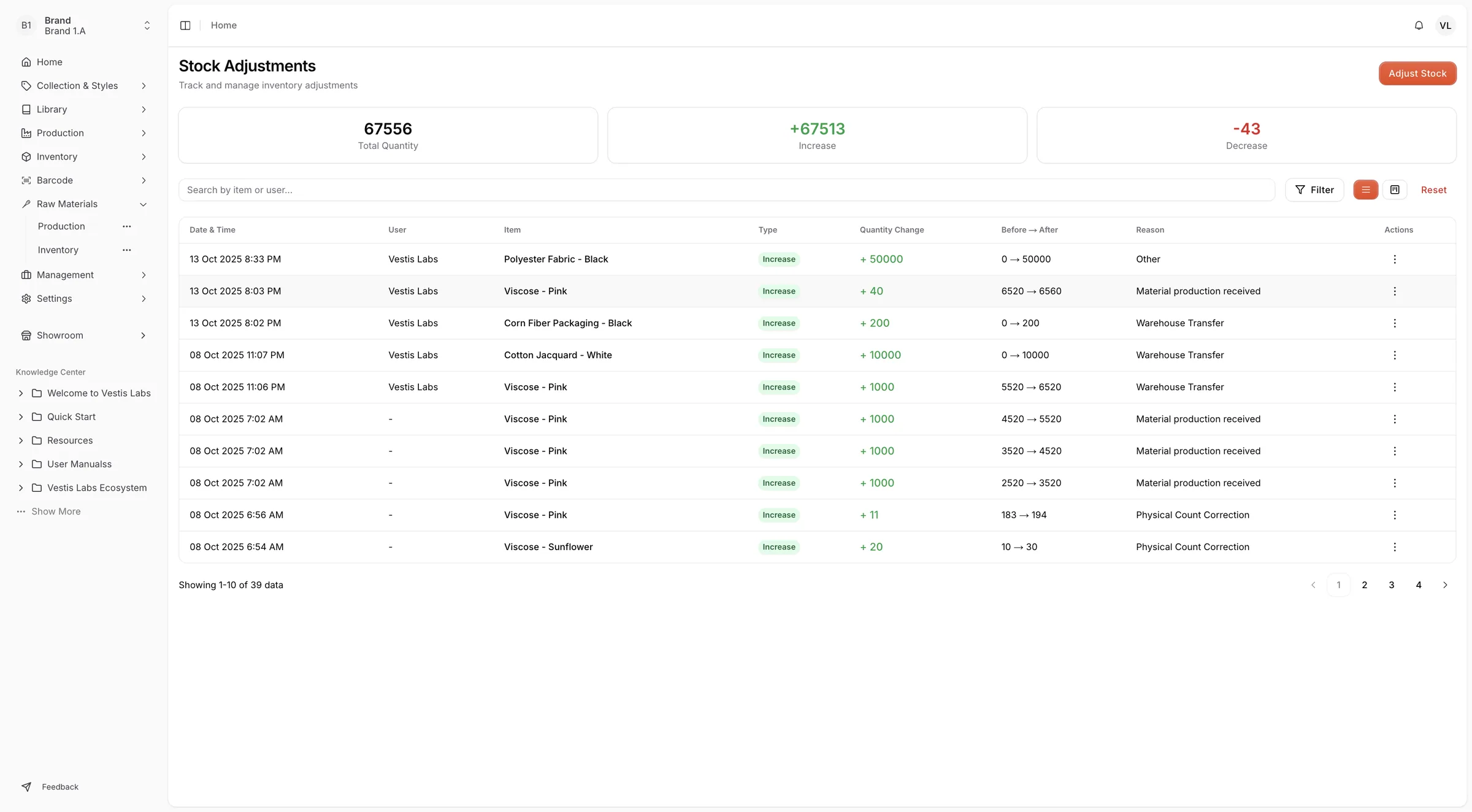
The Receiving section manages the flow of incoming inventory from production to the warehouse.
It displays:
- In Transit – Displays materials that are currently being transferred.
- Ready to Receive – Lists materials that have arrived and are ready for confirmation.
- Overdue – Highlights materials that have not been received within the expected timeframe.
- Receive Selected – Allows users to confirm the receipt of incoming items. A Confirm Receiving Items window lets you check or change the quantities first.